文章内容
2020/5/14 15:07:07,作 者: 黄兵
WebStorm .http文件详解
最近在使用WebStorm编写Angualr程序的时候,有一个http request,截图如下:

通过这个工具我们可以完成绝大部分http请求,是一个不错的post-man替代工具,接下来详细讲讲它如何简化你的操作。
请求示例
所有HTTP请求需要在后缀为.http的文件中进行,新建一个test.http文件。基本格式为:
请求类型(如:GET, POST,PUT) +  请求地址(http://www.baidu.com)
请求头
...

请求体
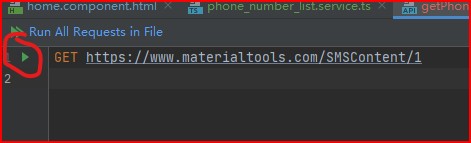
写完请求后,点击左侧三角符号即可执行
GET请求
#### 一般GET请求
GET http://www.materialtools.com?hi=hello
Accept: application/json
### 带状态的GET请求
GET http://127.0.0.1:9085/api/item/list
Cookie: JessionId=TG4OKFVOZP6A9ML4
Authorization: Bearer TG4OKFVOZP6A9ML4
POST请求
### 带body体的POST请求
POST http://127.0.0.1:9085/login
Content-Type: application/json

{
  "username":"zhangsan",
  "password":"123456"
}
### 模仿form表单POST请求 POST http://127.0.0.1:9085/login Content-Type: application/x-www-form-urlencoded username=zhangsan&password=123
### POST请求上传多类型
POST http://127.0.0.1:9085/upload
Content-Type: multipart/form-data; boundary=WebAppBoundary

### text域
--WebAppBoundary
Content-Disposition: form-data; name="element-name"
Content-Type: text/plain

username=zhangsan

### json文件域
--WebAppBoundary
Content-Disposition: form-data; name="data"; filename="data.json"
Content-Type: application/json

< ./data.json
文章来源:IDEA-HTTP工具
评论列表