文章内容
2016/12/14 15:51:51,作 者: 黄兵
webstorm 入门指南(六)
Nodejs
Webstorm作为个javascript的IDE,提供了最天然的NodeJs支持,在Webstorm中,您可以运行、调试、自动提示NodeJs。
Webstorm 对 NodeJs 的支持
随便建个demo工程,建个 test.js,代码如下:
var http = require('http');
server = http.createServer(function (req, res) {
res.writeHeader(200, {"Content-Type": "text/plain"});
res.end("Hello World!");
});
server.listen(7070);
console.log("httpd start @7070");
创建一个http请求,打印出”Hello World!”字符串。
有多种方式可以将工程配置成Nodejs工程,最简单的方式如下:
在代码区域,右键点击下
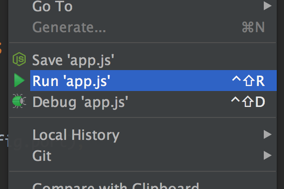
采用默认的配置创建个nodejs服务器
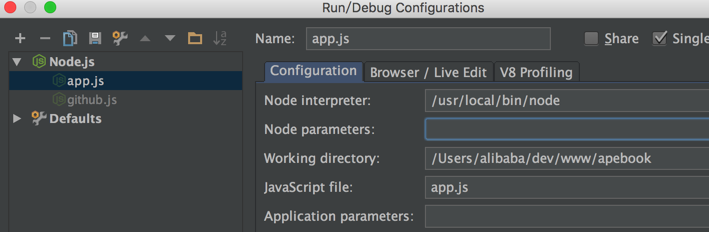
使用“ctrl+shift+F10”,运行Node脚本:
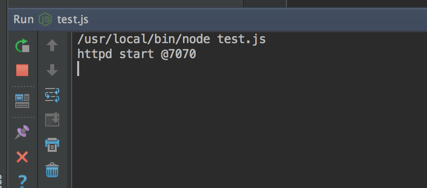
从上图可以看到Webstorm集成了Node控制台,可以直接打印出Node消息。
断点调试Node
断点功能非常实用,堪称调试利器。
在你需要打断点的代码行前面点击下即可:
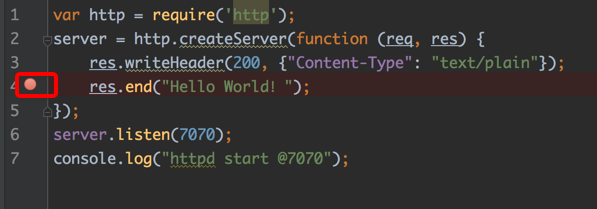
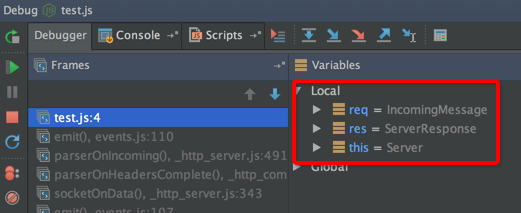
使用快捷键“shift+F9”,开始debug:
评论列表